
Why Dashboard Still Matters on Older Macs
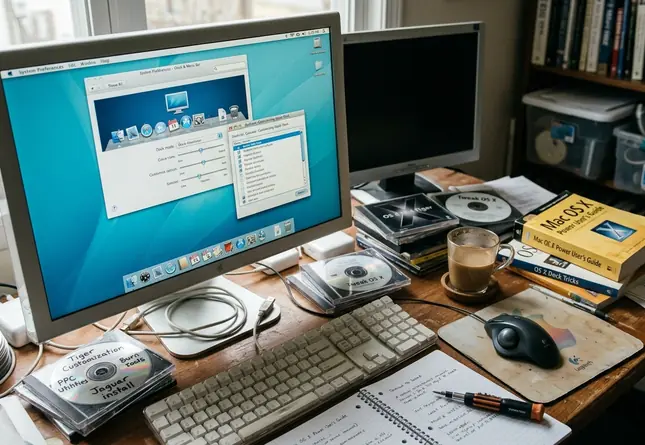
Dashboard delivered instant utilities on Tiger, Leopard, and Snow Leopard Macs without firing up full applications. The appeal stays practical today for anyone keeping those machines in service. This list focuses on widgets that keep older hardware useful rather than turning it into a museum piece.
The central limit is simple. The strongest options stay lightweight, stay legible on lower-resolution screens, and avoid dependence on current web services.
Criteria for Selecting Useful Dashboard Widgets
Low CPU usage and a memory footprint under 15MB per widget matter most. Offline capability, clear display on older screens, and tolerance for legacy WebKit behavior come next. Widgets that handle one narrow task outperform attempts to replace entire modern apps.
Training logs show memory idle usage below 2% keeps the Dock responsive across PowerPC G4/G5 and early Intel systems.
1. Calculator and Unit-Conversion Widgets
These rank among the safest choices because they run offline and skip live endpoints entirely. Standalone bundles that keep conversion tables in local JavaScript arrays avoid network failures.
Basic calculators handle daily arithmetic. Currency converters accept manual rate entry. Measurement tools cover cooking scales and technical conversions such as hexadecimal or binary values up to 64-bit integers.
2. Calendar, Clock, and Time-Zone Widgets
Glanceable scheduling beats full calendar replacements that chase sync. Month views, world clocks, countdown timers, and uptime counters pull system time through local Date objects instead of deprecated CalDAV calls. Countdown support reaches intervals upward of 999 days.
3. Sticky Notes and Clipboard Scratchpads
Low-friction capture covers serial numbers, terminal commands, hex values, URLs, and file paths. Simple note widgets write to local plist files and avoid any cloud authentication prompts. Storage typically caps at 32KB per note.
4. System Monitor Widgets
CPU, RAM, disk, network, battery, and temperature displays prove especially useful on aging hardware. They surface runaway processes and memory pressure before a browser launch. Battery health checks on PowerBooks and disk space tracking on small drives follow the same pattern. Refresh intervals between 3000ms and 5000ms prevent the widget from spiking CPU itself.
5. Weather Widgets That Still Resolve Data Reliably
Weather remains useful yet fragile. Many legacy widgets hit discontinued feeds or altered APIs and enter endless retry loops that push Dock CPU to 100%. Look for manual location entry, plain forecast text, minimal animation, and endpoints that still respond within a 10-second timeout.
6. RSS and Headline Reader Widgets
RSS fits older Dashboard well because it delivers lightweight text without opening a full browser. Readers that parse standard RSS 2.0 and Atom 1.0 feeds natively work best. Polling stays at 15- or 60-minute cycles to limit resource draw.
Community experience supports keeping any single Mac to five or seven active widgets total so the system stays stable rather than becoming another troubleshooting task.
Widgets that rely on external web views often render blank white squares on OS X 10.4 PowerPC hardware because the embedded WebKit lacks TLS 1.2 and 1.3 support. Apple’s archived Dashboard developer documentation still outlines the original widget system boundaries.






Discussion
Share your thoughts.
Write a Comment