
Why Dashboard Media Widgets Still Matter
Mac OS X Dashboard served as the primary host environment for small, glanceable utilities starting with the 10.4 Tiger release in 2005. Widget bundles relied on HTML, CSS, and JavaScript rather than compiled code.
iTunes Buddy and Plasmatube stand as two different examples of media-adjacent customization. One pulls information. The other generates atmosphere. Both operated inside that same lightweight layer before notification centers took over.
Criteria for Selection
These two widgets belong together because each was built for Mac OS X Dashboard and each targets the media experience instead of system maintenance. Selection rested on relevance to Dashboard, distinct media function, visual customization value, historical interest, and evidence from available product descriptions.
The focus stays separate from broader utility work such as DockDoctor or iPhoneAppsWidget. That keeps the discussion on media handling alone.
The Curated List
1. iTunes Buddy: A Dashboard Widget for Media Tracking
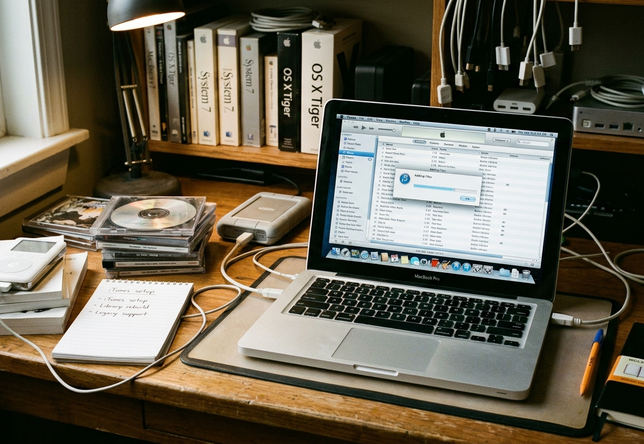
iTunes Buddy functions as a Mac Dashboard widget centered on media tracking and music discovery. Its value came from placing iTunes-related information into Dashboard’s quick-glance environment rather than forcing a full application switch.
The widget fetched top song and album charts through polling intervals of roughly 12 to 24 hours. It parsed legacy XML feeds to populate the interface.
Visual Atmosphere as a Widget
2. Plasmatube: Motion Light and Plasma Effects on the Dashboard
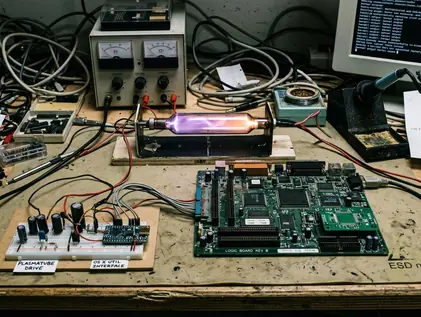
Plasmatube operates as an aesthetic motion-light Dashboard widget rather than an information utility. Its core appeal rests on simulated plasma fluid movement, automated color morphing through Techno mode, and material styling based on aluminum and glass aesthetics.
Techno mode automates color morphing through RGB values over a 45- to 60-second loop. The widget renders simulated aluminum and glass textures using local CSS properties.
iTunes Buddy vs. Plasmatube: Two Different Kinds of Media Utility
iTunes Buddy is data-driven and functional. Plasmatube is atmospheric and visual. One depends on external feeds; the other runs on local rendering.
Local rendering widgets typically consume around 15MB to 25MB of RAM per active instance, based on community experience. API-dependent widgets fail entirely if the endpoint returns a 404 status code. Field experience revealed that music chart tracking delivers concrete updates while ambient customization changes the feel of the space itself.
Scope, Limitations, and Legacy OS X Context
The article references multiple authority and provenance claims around the 2012 copyright context and OS X Dashboard support. It does not verify current download availability, live iTunes Store connectivity, or compatibility with modern macOS versions. Mac OS X Dashboard remains the relevant host environment; later macOS widget systems are not equivalent replacements.
Within the constraints of legacy API stability, iTunes Buddy relies on legacy XML feeds from the iTunes Store. It will display blank frames or connection errors on modern networks unless routed through a proxy that reconstructs the vintage API responses. Apple’s archived Dashboard developer documentation still outlines the original bundle structure.
Practical Takeaways for Classic Mac Customization Enthusiasts
iTunes Buddy represents Dashboard as a media-information layer. Plasmatube represents Dashboard as a visual-effects surface. Running OS X 10.5 or 10.6 in a virtual machine requires allocating at least 1GB of RAM to ensure smooth Dashboard overlay animations. Testing environments should isolate network traffic to monitor legacy API requests.
Observation supports preserving original widget files responsibly and documenting the exact OS version during any trial. The approach shows how Dashboard widgets combined utility, visual personalization, and lightweight software design without needing modern replacements.







Discussion
Share your thoughts.
Write a Comment